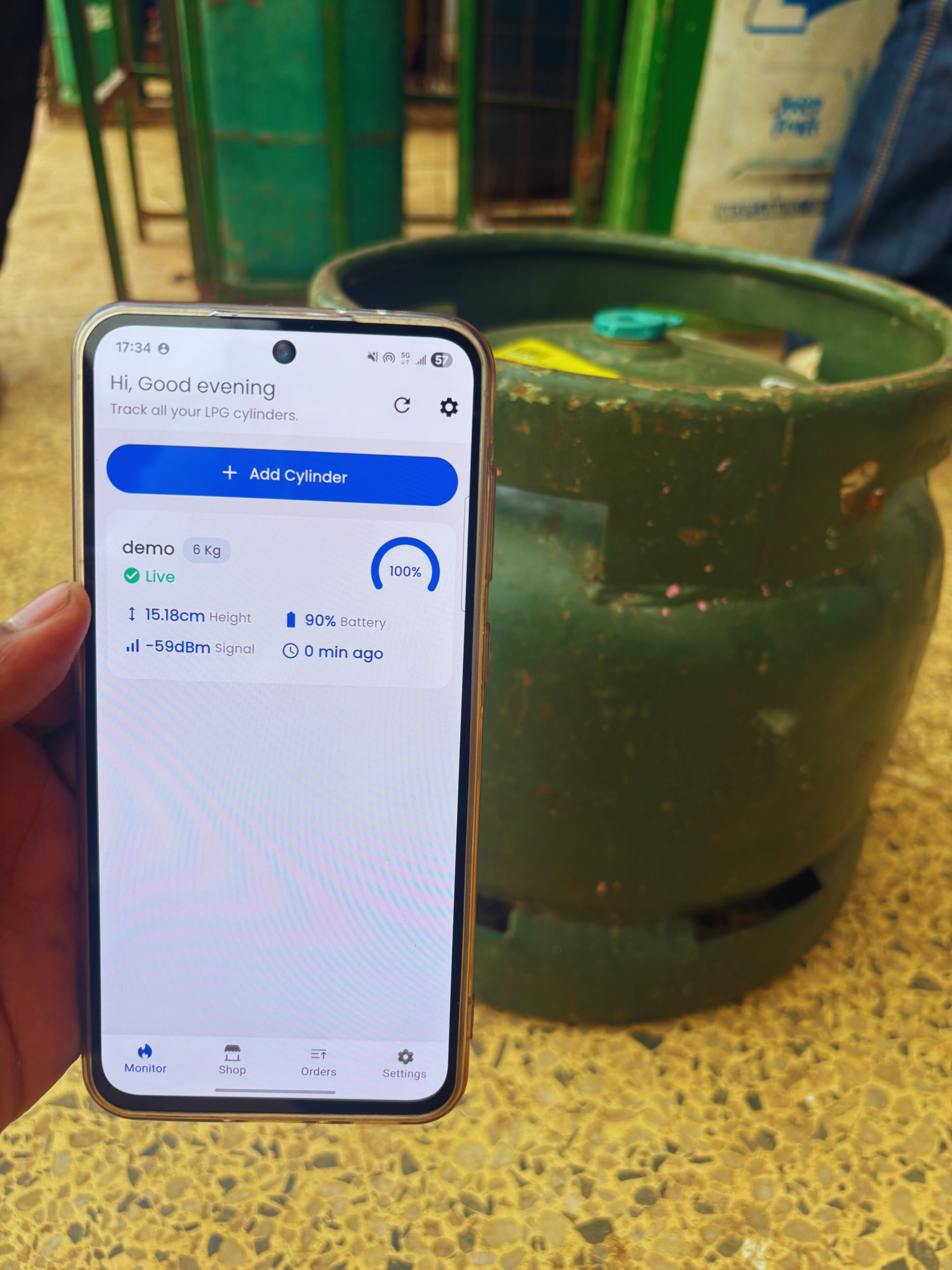
The Triotics app is the control centre for your entire LPG gas management system. Available on both iOS and Android, it connects directly to the smart sensor fitted to your gas cylinder and gives you complete, real-time visibility into your gas supply from any smartphone — at home or on the go.
Here is a step-by-step breakdown of how the Triotics app works from setup to refill:
1. Install the Sensor
Place the Triotics smart sensor under your LPG cylinder — it connects to your bluetooth and begins measuring gas weight immediately.
2. Open the App
Download the Triotics app, create your account, and link your sensor in minutes — no technical knowledge required.
3. View Your Gas Level
Your live gas percentage appears on the app dashboard, refreshed continuously so you always see the current level.
4. Receive Smart Alerts
Customise your notification thresholds and receive instant alerts when your gas drops to your specified low-level point.
5. Order Your Refill
Tap the order button in the app, confirm your delivery details, and have gas delivered to your door on your schedule.
The Triotics app removes every barrier between you and a reliable, uninterrupted gas supply — no phone calls, no guesswork, no surprises.